Engineering Reliable Outputs
The gap between a generic AI output and a professional-grade asset comes down to constraint management. Industry expert Andrej Karpathy recently highlighted the growing knowledge gap in understanding AI capabilities, noting that performance relies entirely on how users frame their tasks. To improve reliability, prompt engineers must proactively add constraints and eliminate implied assumptions before executing complex reasoning chains.
For example, instead of asking an AI to "analyze data," you must specify the exact tone, the intended audience, and the desired structural output. This systematic approach applies universally, whether you are generating text, code, or visual assets.
Automating Social Media Growth
Creating engaging social media content requires specific behavioral guardrails to prevent the AI from generating obvious marketing hype. Using AI Assist tools like Taplio, you can programmatically generate post angles based on your historical profile data.
Use this precise prompt to generate LinkedIn content ideas that optimize for authentic engagement rather than passive likes:
Analyze my LinkedIn profile, posts, and audience, then generate 10 LinkedIn post ideas on using AI at work. Each idea should come from a real work moment, tie AI to leverage or career impact, challenge a common assumption, and match my clear, practical tone. Avoid hype. Optimize for replies over likes. Output only the 10 opening lines or angles.By forcing the AI to "challenge a common assumption" and "avoid hype," you strip away the robotic tone that plagues most AI-generated content on the platform.
Streamlining Executive Operations
Formatting is often the most tedious part of administrative work. AI models excel at structuring documents if you define the exact layout parameters upfront. This prompt instantly generates a comprehensive, copy-paste-ready agenda for Google Docs.
Create a clean, copy-paste–ready weekly exec meeting agenda formatted for Google Docs. The meeting is 60 minutes long and should include bold section headers, spacing for notes, and a 3-column table at the end for action items.

Sections to include:
Quick Wins & Headlines (5 mins)
Metrics Review (10 mins)
Product Progress (10 mins)
Growth & Marketing (10 mins)
Strategic Initiatives (10 mins)
Team & Ops (5 mins)
Open Floor / Brainstorm (5 mins)
Action Items & Ownership (5 mins)

Format the "Action Items & Ownership" section with a table labeled:
Task | Owner | Deadline

Make sure the whole document is cleanly formatted for direct use in Google Docs.
Generating Editable Infographics
You can create a highly efficient data visualization pipeline by combining Perplexity, Gemini, and Canva AI. This workflow prevents the need to manually rebuild graphics from scratch.


First, use a research prompt: "Do deep research on [topic]. Look for outliers and narrative angles. Our end goal is four infographic concepts recapping the most interesting data trends." Next, ask the AI to convert those concepts into image generation prompts optimized for easy text replacement.


Feed the best prompt into Gemini to generate the base image, then upload that PNG directly into Canva. By utilizing Canva's Magic Layers and Magic Studio, the flattened image is converted into an editable file, allowing you to quickly clean up text, adjust layers, and publish a flawless infographic in under 15 minutes.
Advanced 3D Concept Art
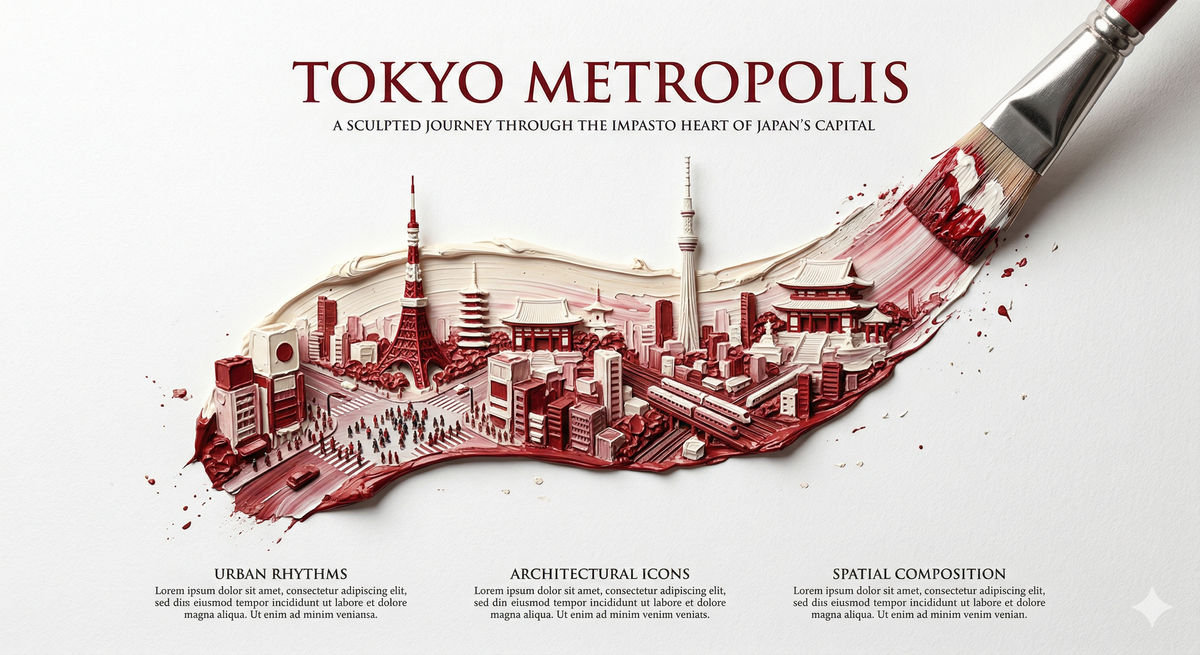
Visual prompt engineering requires precise spatial and stylistic instructions. To generate a highly detailed, 3D bas-relief city embedded within a single brushstroke, use this template with tools like NanoBanana or Midjourney.


A brush, captured mid-motion, paints a refined curve from the lower left to the upper right.
Within the brushstroke lives a miniature world of [CITY], rendered as a highly detailed 3D bas-relief city sculpted from layered paint.

Inside the stroke:
Iconic landmarks, architecture, and spatial rhythms of [CITY], arranged as a cohesive miniature with depth and subtle relief.

Style:
Impasto oil painting fused with academic poster design. Thick and thin paint layers create depth, with 3D forms emerging from the stroke.
Color palette follows the official flag colors of the country associated with [CITY], blended naturally.

View & background:
Minimalist top-down composition, pure white negative space, fine textured paper.

Typography:
Title: “[CITY] METROPOLIS”
Poetic subtitle and supporting serif copy, cleanly spaced.

Composition rules:
Brush tip ends cleanly at the upper right. All detail remains strictly inside the stroke.
Hyper-realistic, HDR, poster-grade, 8K look.