


Unlock New AI Capabilities with Advanced Prompts
Effective prompt engineering is the key to unlocking the full potential of large language models. Moving beyond simple questions, these advanced AI prompts provide structured frameworks for tackling complex tasks, from strategic business planning to creative visual design. Here are the most effective prompts and techniques we've analyzed this week.
Business Strategy: The Problem Solver Prompt
For entrepreneurs and managers facing business challenges, this prompt transforms an AI into a strategic consultant. It follows a structured process to diagnose root causes rather than just symptoms, ensuring the solutions are targeted and effective.
Prompt:
I’m stuck with [clearly describe the business problem: no customers, stalled growth, pricing pushback, delivery issues, time constraints, etc.].
Act as an experienced business consultant and operator.

First, ask me 10 sharp diagnostic questions to identify the true root cause (not symptoms). Prioritize questions around positioning, demand, distribution, pricing, operations, and constraints.

After I answer, deliver a structured analysis covering:
The core reason this problem exists (with evidence from my answers)
Three actionable solutions, ranked by expected impact vs. effort
A step-by-step execution plan for the highest-leverage solution (what to do, in what order, and why)
Systems, habits, or guardrails to prevent this issue from recurring
A clear 30-day success definition with measurable outcomes
Keep the advice practical, decisive, and operator-level (no fluff, no generic business theory). Focus on leverage and speed.
Creative Design: Recipe Infographic Generator
This prompt is an excellent example of using specific keywords and descriptive language to guide an image generation model toward a high-quality, professional-looking output. It specifies style, layout, lighting, and even resolution to create a clean, modern infographic.
NanoBanana Prompt:
Minimalist modern recipe infographic featuring [DISH NAME], presented in a clean top-down / 3-quarter food photography style. The finished dish is centered on a white ceramic plate or bowl, beautifully plated and ultra-realistic. Surrounding the dish are floating ingredient icons with soft circular frames and clean vector-style illustrations, each labeled with ingredient names and quantities. A curved step-by-step flow with simple numbered icons shows the cooking process (boil, dice, mix, cook, serve). Soft neutral background (beige / cream), gentle shadows, balanced spacing, Scandinavian design aesthetic, editorial cookbook layout, high readability typography, subtle gradients, professional food styling, ultra-sharp details, 8K resolution.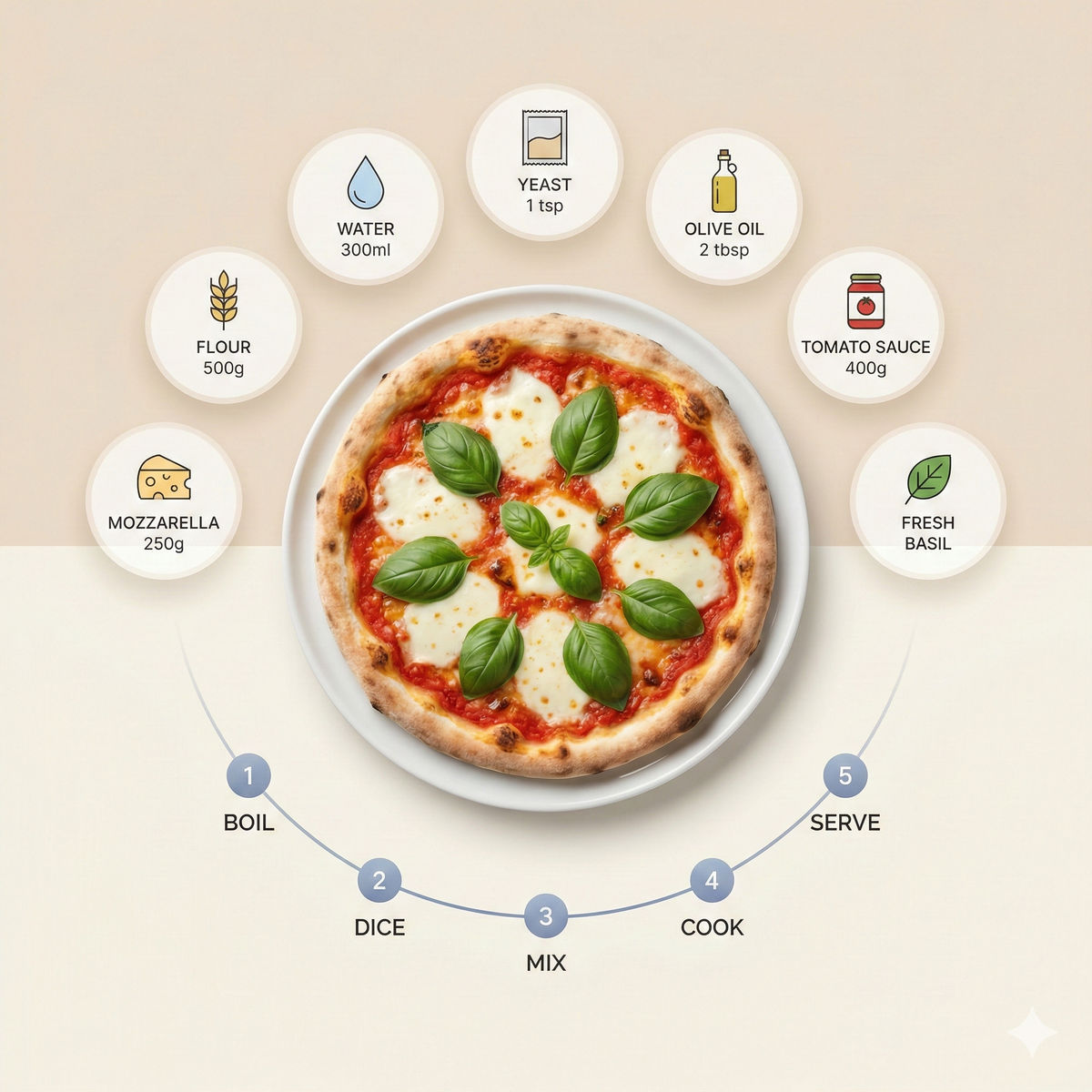
AI Productivity and Workflow Guides
Technique: Using Claude in Microsoft Excel
Anthropic's Claude in Excel add-in (currently in beta for Pro+ users) embeds the AI's analytical power directly into your spreadsheets. Our testing confirms it dramatically speeds up data-related tasks. You can use natural language to:
Ask questions about your data: "Did I hit my budget target in Q3?" Claude will perform the calculation and show its work.
Debug formulas: "Why is there an error in this cell?" It will trace the error to its source.
Build models: "Create a DCF valuation based on these assumptions." It will generate dynamic formulas linked to your input cells.
A key feature is cell-level citations, allowing you to click and verify every cell the AI referenced in its analysis, ensuring trust and transparency.
Technique: The AI Humanizer Ruleset
To reduce the robotic and overly verbose nature of some AI outputs, you can provide your chatbot with a set of custom instructions. This ruleset helps generate more natural-sounding text by avoiding common AI writing quirks.
Upload these rules to your chatbot’s preferences to make it sound more human: avoid em dashes, reduce fluffy language, and improve the directness of answers. For social media content specifically, a collection of 7 prompts for Claude has been shared to reduce the time it takes to design and post content.
Guide: Creating a "Coding Factory" with Codex App
For a more technical workflow, a new guide demonstrates how to use OpenAI's Codex app to coordinate multiple AI agents working in parallel. The process involves creating a modular plan document, assigning each agent to a specific webpage or feature, and merging the completed work piece by piece. This method can be used to scaffold and build an entire website with minimal human coding.


