Anthropic's New AI Prompting Guide for Claude 4.6
With the release of its latest models, Anthropic has published an updated AI prompting guide that signals a major shift in best practices. The key takeaway for users of Claude 4.6 is to be more direct and less verbose. Older techniques designed to counteract model "laziness" are now counterproductive and can degrade performance.
According to an Anthropic engineer, significant leaps in intelligence were observed as soon as "anti-laziness prompts" were removed. This is because the new models are more proactive and can overthink or loop when given unnecessary instructions. This new approach marks a crucial evolution in prompt engineering.
The New Playbook: Simplicity and Directness
The revised strategy focuses on clarity and trusting the model's inherent capabilities. Here are the core principles of the new AI prompting guide for Claude 4.6:
Remove "Try Harder" Language: Phrases like "be thorough," "think carefully," or "do not be lazy" should be deleted. These commands cause the model to overthink simple tasks.
Soften Tool Instructions: Instead of demanding action with phrases like "You MUST use this tool," a gentler approach like "Use this tool when it would help" is now more effective.
Be Explicit About Actions: Clearly state the desired outcome. For instance, use "Make these changes" instead of the more ambiguous "Can you suggest changes?"
Use Effort Settings: Adjust the model's effort parameter (low, medium, high) to match the complexity of your task, rather than trying to engineer effort through the prompt itself.
Generating Royalty-Free Jingles with Suno AI
Another powerful workflow involves using Suno AI to create custom, royalty-free jingles and background music. By providing a simple text prompt, users can generate audio for podcasts, videos, and other content.
Go to Suno and use a structured prompt like: "Upbeat indie pop podcast intro with acoustic guitar and light percussion, think tech podcast."
The basic structure to follow is [genre] + [instruments] + [use case].
Once a suitable track is generated, use the Remix and Edit features to create variations in speed, instruments, or genre for different purposes, such as background music or transitions.
Ready-to-Use Prompt Templates
For daily productivity, having a set of reliable templates is invaluable. Here are two examples of professional and creative tasks mentioned in recent newsletters, including HubSpot's free guide with over 100+ ChatGPT prompts.
Professional Meeting Invitation
This template ensures that all necessary information is included in a clear, professional format, ready to be sent via email.
Create a clear, well-structured meeting invite that includes:
Subject line (concise and specific)
Purpose of the meeting (why it’s being scheduled)
Key discussion points / agenda items (bullet format)
Preparation required from attendees (documents, data, pre-work, etc.)

Meeting details:
Date
Time
Duration
Location or video link
Roles of attendees (who is presenting, facilitating, note-taking, etc.)
Expected outcome of the meeting

Tone should be:
Professional
Clear and direct
Concise but complete

Format the response as a ready-to-send email.
Creative Image Generation: Retro Gaming Console
This Nano Banana prompt is designed for generating highly specific and stylized images, showcasing the level of detail needed for advanced image generation.
A hyper-realistic 1080x1080 render of a fictional, unbranded retro handheld gaming console, held close up directly in front of the camera by two human hands. The console is matte gray plastic with simple buttons and no branding. Inside the screen, a miniature vibrant 3D world representing [COUNTRY] is displayed with a noticeable pixelation effect reminiscent of classic handheld games - pixel size is fine enough to clearly show iconic landmarks, cultural elements, and scenery unique to [COUNTRY]. Below the screen, the word “[COUNTRY]” is printed in large bold clean white letters, occupying about 25% of the console’s lower front panel width. To the right of the text, a clearly visible flag of [COUNTRY] is printed, sized so its height matches the text exactly. The background is a softly blurred nostalgic 90s/2000s bedroom scene with warm ambient lighting, CRT screen glow, vintage posters, and cozy cinematic shadows.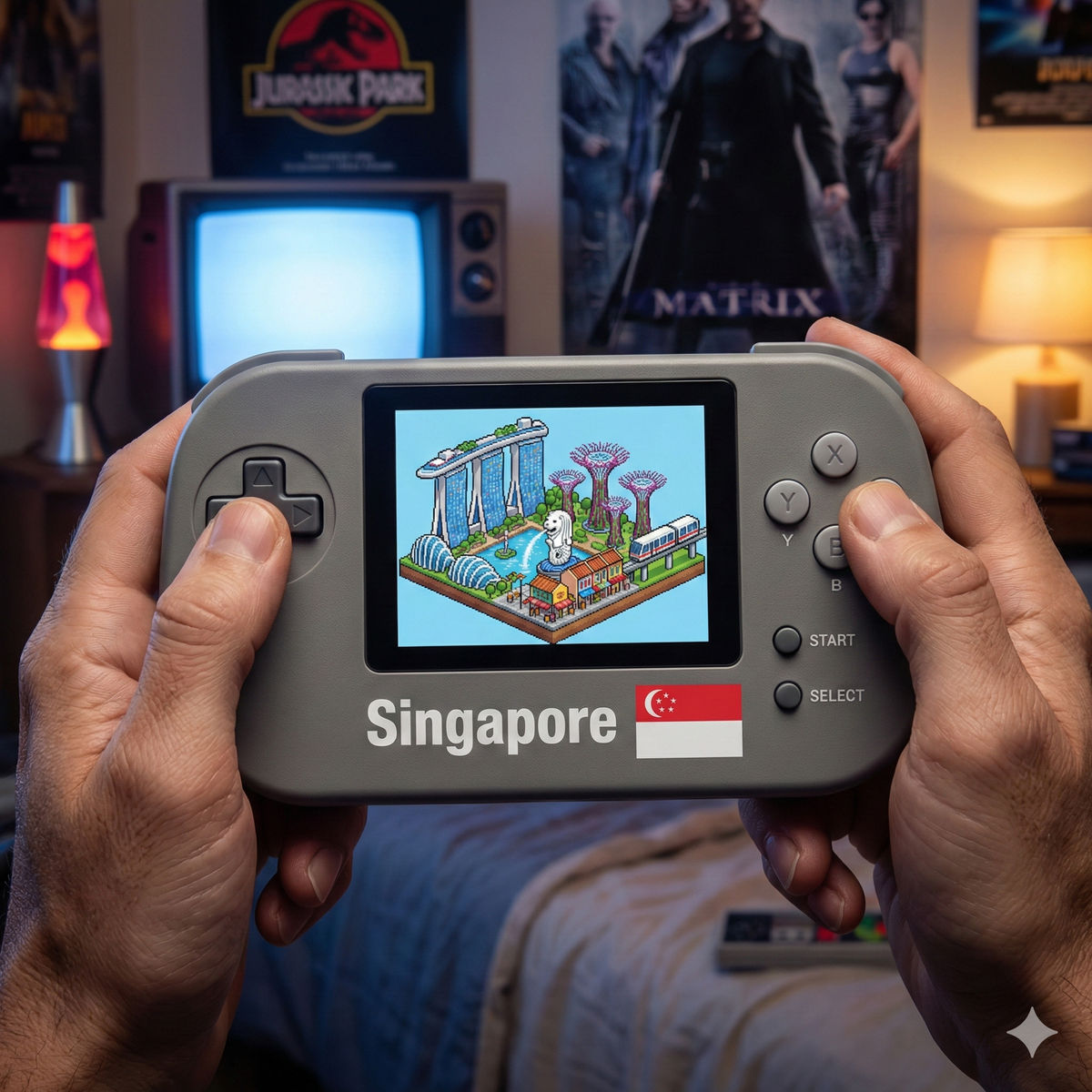
Practical Prompting Workflows for Business and Creativity
Beyond high-level strategy, new step-by-step guides have emerged for specific, practical applications. These workflows demonstrate how to leverage generative AI for marketing, branding, and professional communication.
How to Create Instagram Product Shots with Gemini
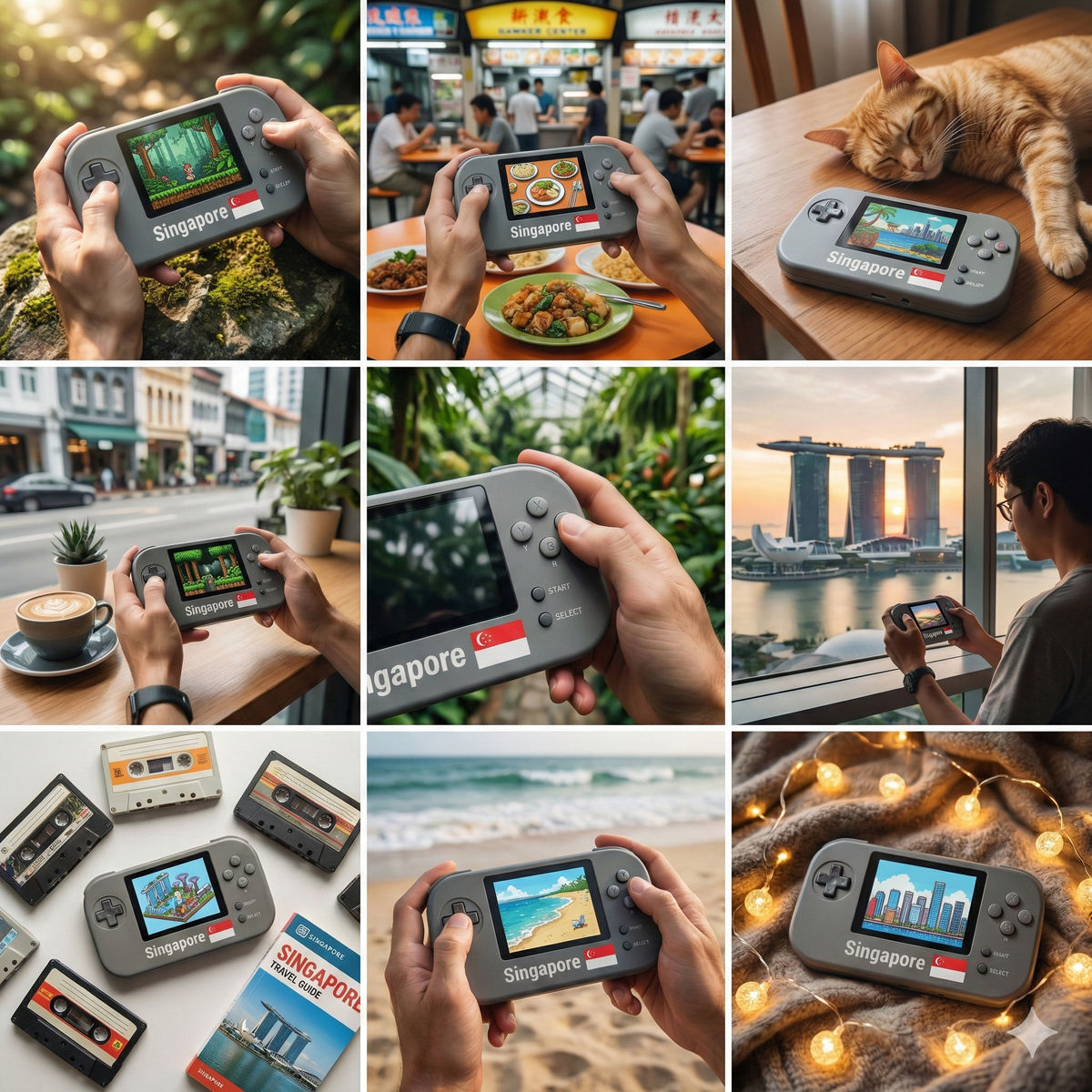
For e-commerce brands, Gemini (using the 'Create 🍌' or Nano Banana tool) can generate a cohesive set of product images. The process involves enabling Pro mode, uploading an inspiration image and a product image, and using a detailed prompt to guide the output.
Create a 9-image Instagram feed for this product in the same aesthetic. Use different locations, angles, and compositions, incorporating people, animals, nature, and various environments while maintaining a cohesive visual style.This technique allows brands to quickly create a variety of on-brand marketing assets for social media platforms like Instagram and TikTok.