


Constructing an Automated Ad Generator Workflow
The convergence of audio, video, and image generation platforms has made end-to-end media creation highly accessible. By utilizing the newly released ElevenLabs Flows, creators can string together disparate generation models into a single automated ad generator workflow. This method allows teams to turn basic product photos into finished, narrated video advertisements in just a few clicks.
To build your own automated ad generator workflow, start by opening ElevenLabs and navigating to ElevenCreative Flows to create a new template. Add an Image Generation node and upload one to three reference product shots. Use a prompt that describes the desired lighting and staging, such as: "The product on a white pedestal, studio product shoot, soft morning light, photorealistic product shot."



Next, drag a line from the image node's output into a new Video Generation node's start frame. Prompt the video node with cinematic movement instructions, like: "Slow cinematic push-in on the product, shallow depth of field." Finally, add a Text-to-Speech node and connect it to a Mix Audio node alongside your video output. Hitting run will execute the entire automated ad generator workflow simultaneously, outputting a polished creative asset.
Essential AI Skill: Breaking Big Tasks Into Stages
One of the most common mistakes users make is handing an LLM a massive task and expecting a perfect final product in one prompt. This typically results in generic, mediocre output. The most effective prompting strategy is to break the work into smaller, logical stages.
If you are writing a report, ask the AI to generate an outline first. Once approved, instruct it to pressure-test that outline for logical gaps. Then, have it draft one section at a time. This methodical breakdown gives you total control over the output and drastically reduces instances of AI hallucination.
High-Signal Pre-Meeting Brief Prompt
When preparing for enterprise meetings, Grok can be utilized to scrape recent news, sentiment, and structural data. Use this prompt to generate a highly actionable briefing document before hopping on a call.
I have an upcoming meeting with [COMPANY NAME] and need a concise, high-signal pre-meeting brief. Provide a clear overview of what the company does, along with the most important developments from the past 30 days (news, announcements, funding, partnerships, or product updates). Include any notable recent hires or leadership changes, relevant sentiment or discussions from platforms like X, and a breakdown of their current strategic priorities and likely business challenges. Also identify their key competitors and positioning within the market. Structure the brief for quick scanning, keep it under 500 words, and include citations for all key points.

Technical Vehicle Infographics Prompt
Creating highly specific, blueprint-style imagery requires rigid parameters so the AI does not default to stylistic illustration. This prompt works exceptionally well for generating technical overlays for physical products.
Premium technical infographic of [VEHICLE]. Use the reference image only to understand the shape and structure of the object, without copying the same photo, angle, composition, or background. Reinterpret the subject in a new professional and realistic photograph, clean and well-lit, with a suitable and more aesthetic background. Keep the object as a real photo, not an illustration. Add a technical blueprint-style overlay with white lines, arrows, dimensions, labels, and small diagrams of parts, materials, measurements, and functionality. Clear, elegant, and informative composition. Include a sketch box in the upper left corner with the title “VEHICLE”. 4:5 Dimension.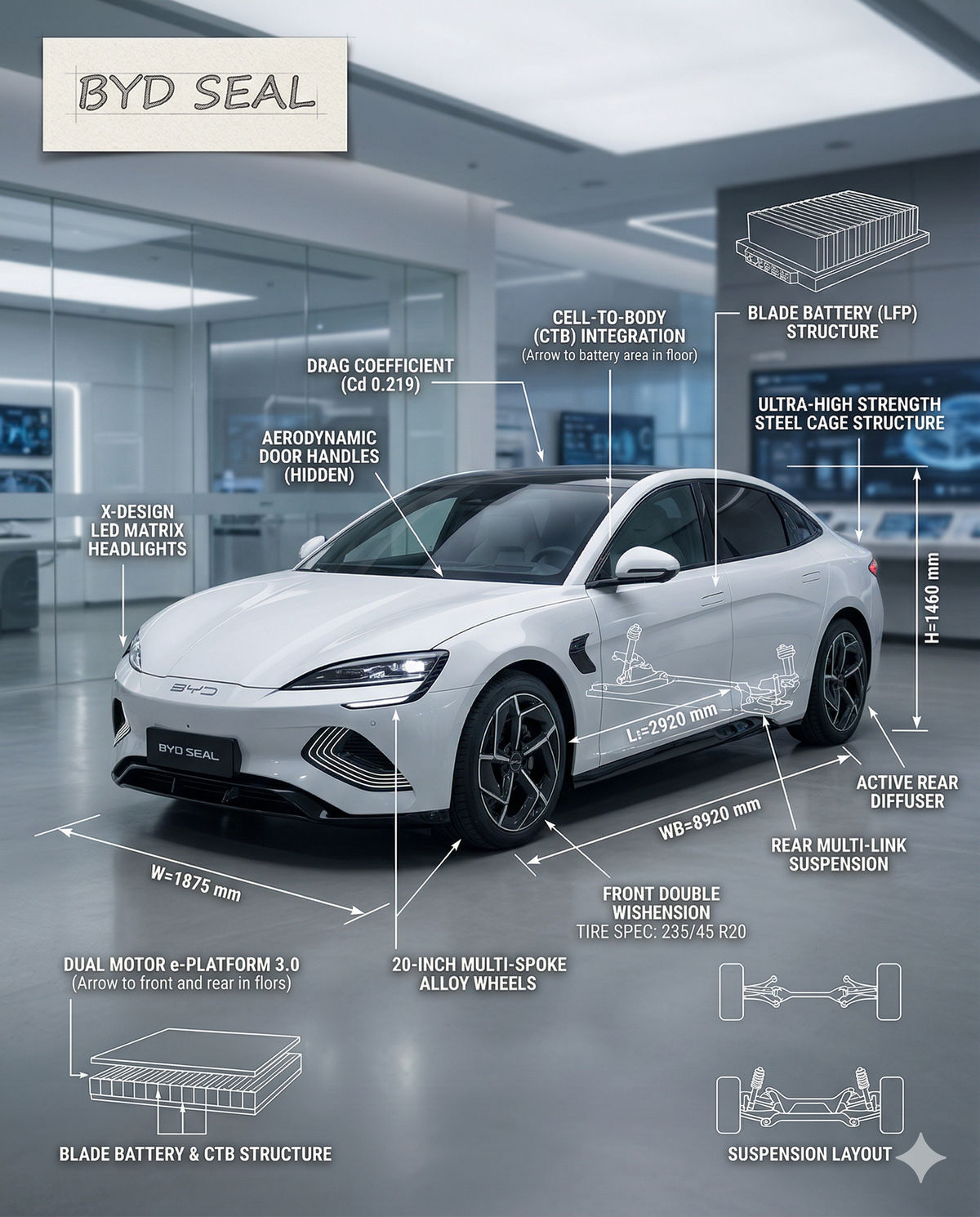
Implementing the automated ad generator workflow alongside these structured prompts will immediately elevate the quality and consistency of your daily AI outputs.

